



35+ Free AI Tools Worth Bookmarking in 2026 (Organized by What They Actually Do)
Updated on 17/8/2026
There are now thousands of “AI tools” directories online, and most of them are the same 200 logos rearranged. The problem isn’t finding an AI tool anymore — it’s figuring out which of the dozen chatbots, image generators, or “unified AI platforms” in your bookmarks bar actually solves the problem in front of you.
This guide skips the copy-paste directory format. Instead, it groups free and freemium AI tools by the job they’re built for, explains what their “free” tier actually gives you before you hit a paywall, and flags the trade-offs that most listicles leave out.
Key Takeaways
- Free AI tools fall into a handful of clear categories: general chat assistants, image/video generators, open-source/local models, developer infrastructure, and data or observability tools — pick by task, not by hype.
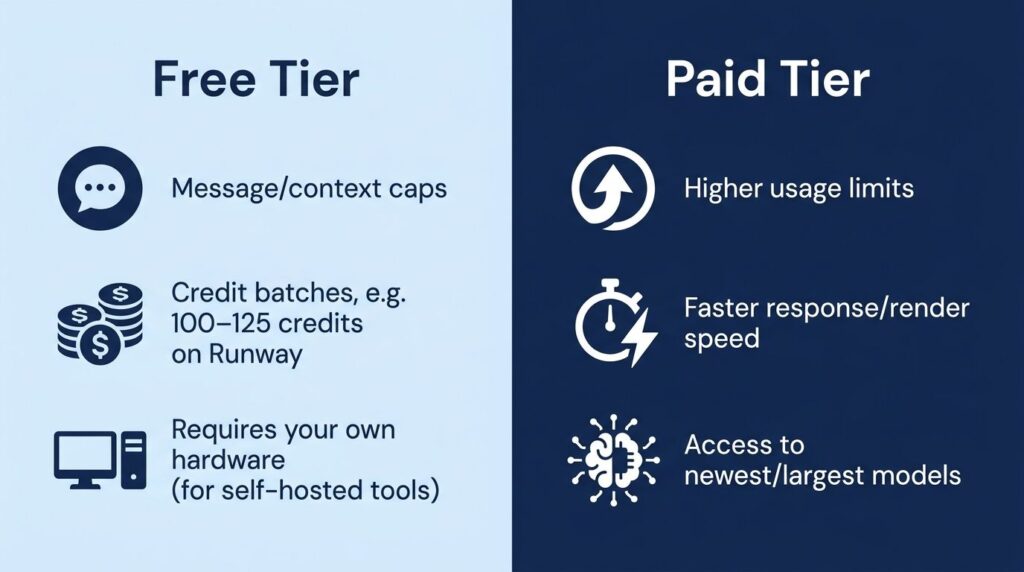
- “Free” almost always means a capped tier: limited messages, limited credits, or limited GPU hours. Check the cap before you build a workflow around a tool.
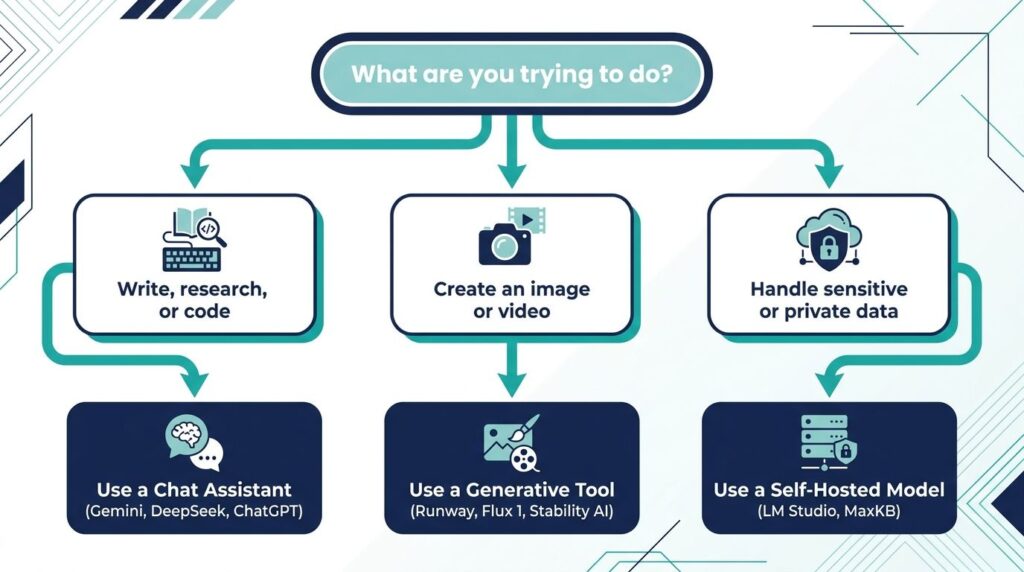
- Open-source and self-hosted options (like LM Studio or AnythingLLM) trade convenience for privacy and zero recurring cost — worth it if you’re handling sensitive data.
- For most everyday tasks, one general-purpose chat assistant plus one image tool plus one automation tool covers 90% of what people actually use AI for.
How to Actually Choose Between These Tools
Before the list: three questions cut the decision time in half.
- Is the task conversational or generative? Writing, research, and coding help point to a chat-based LLM. Producing an image, video, or voice file points to a generative model tool instead.
- Do you need it in a browser, on your desktop, or inside another app? Browser extensions and desktop apps (like Cherry Studio or LM Studio) remove the copy-paste step; hosted web apps are faster to try.
- Does the free tier survive real use, or just a demo? A tool offering “5 free credits” is a demo. A tool offering a genuine free API tier or an open-source download is something you can actually build a habit around.
How we test and rank tools on Tool2Mate →
General-Purpose AI Chat Assistants
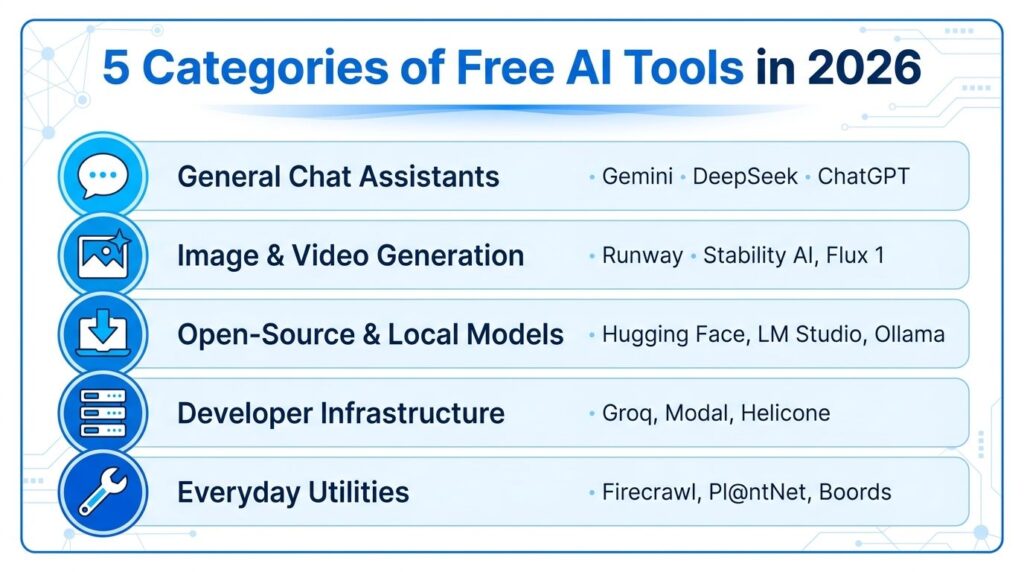
These are the tools most people reach for first — general reasoning, writing, research, and Q&A.
- Google Gemini and Google AI Studio — Google’s consumer assistant and its developer-facing studio both offer usable free tiers, with AI Studio giving direct access to multimodal models for prototyping without a paid plan.
- DeepSeek — Known for a genuinely free API tier and strong reasoning performance for its cost, making it a common pick for developers who want a low-cost or no-cost backend for a chatbot project.
- OpenAI (ChatGPT/GPT-4o) — The most recognizable name in the space; the free tier is usage-limited but still useful for quick tasks, with paid tiers unlocking longer context and more requests.
- AnythingLLM and Cherry Studio — Free desktop chat clients that let you connect your own API keys or local models, useful if you want one interface instead of five browser tabs.
- LM Studio and Msty — Run open-weight models entirely on your own machine, with no account, no usage cap, and no data leaving your device — the trade-off is you need decent hardware.
Practical note: if you only install one tool from this list, a local client like LM Studio paired with an open model is the closest thing to a “free forever” AI chat setup, since there’s no vendor to change the pricing later.
Image, Video, and Design Generation
This category grew the fastest over the past year, and it’s also where free tiers shrink the fastest — most platforms meter by “credits” rather than time.
- Runway and Pollo AI — Video generation platforms offering a starter credit allotment (roughly 100–125 credits on sign-up), enough to test quality before committing to a subscription.
- Stability AI and Flux 1 — Image generation models with open-weight versions available for self-hosting, alongside hosted paid options for higher resolution or faster generation.
- Civitai and Tensor.Art — Community hubs for open-source image models and fine-tunes, useful for finding a specialized style (product photography, anime, architecture) rather than a single general-purpose model.
- insMind, Botika, Modelia, Uwear.ai, and Hautech — A cluster of fashion- and product-photography-specific generators, each offering a small free credit batch aimed at e-commerce sellers who need model or product shots without a studio.
- Qwen Image and Z-Image — Free, open-source image generation and editing models that are increasingly used as a no-cost alternative to paid image editors for straightforward tasks like background swaps or upscaling.
Practical note: if you’re testing image tools for a business use case (product photos, ads), budget for the paid tier from the start — free credits are enough to judge quality, not to run a campaign.
Open-Source and Self-Hosted AI
For anyone wary of sending data to a third-party server, or who wants to avoid recurring subscription costs entirely, this is the category to know.
- Hugging Face — The default hub for open-source models, datasets, and demo spaces; browsing and downloading most models is free, with paid compute available for heavier jobs.
- Unsloth — A free framework for fine-tuning open-weight models faster and with less memory, popular with developers customizing a model for a narrow task.
- Ollama-style local runners (LM Studio, Local AI, NativeMind) — Let you download and run models like Llama or Qwen on your own hardware with no per-message cost.
- MaxKB — A free, open-source tool for building retrieval-augmented (RAG) chatbots over your own documents, aimed at teams who want an internal knowledge assistant without sending files to a third party.
Practical note: self-hosted tools remove the subscription cost but add a real one — your time. Budget an afternoon for setup before assuming it’s “free.”
Developer and Data Infrastructure
Less flashy than a chatbot, but this is where a lot of “AI-powered” products actually get built.
- Groq and Fireworks AI — Inference platforms optimized for speed, both offering a starter credit or free-tier allotment for testing before scaling to production traffic.
- Modal, Zeabur, and Thunder Compute — Deployment and GPU infrastructure providers with trial credits, aimed at developers who need to run a model or app without managing physical servers.
- Helicone and PromptLayer — Observability tools for tracking what an AI application is actually doing in production — request volume, cost, latency — with Helicone’s free tier covering a meaningful number of requests per month.
- Weights & Biases — A free tier for experiment tracking, useful for anyone training or fine-tuning a model who wants a record of what changed between runs.
Everyday AI Utilities Worth Knowing
A handful of tools don’t fit neatly into “chat” or “image” but solve a specific, recurring annoyance.
- Firecrawl — Turns websites into clean, structured data for feeding into another AI tool, with a free credit allotment that covers light scraping projects.
- Pl@ntNet — A genuinely free plant identification tool, a good example of a narrow, single-purpose AI app done well instead of trying to be a general assistant.
- DuckDuckGo AI features — Search-integrated AI answers without an account or sign-up, useful for quick factual lookups.
- Boords — Free-to-start storyboarding software for anyone planning a video before generating it.
Free AI Tool Categories at a Glance
| Category | Best for | Typical free-tier limit |
|---|---|---|
| General chat assistants | Writing, research, coding help | Message caps or context limits |
| Image/video generation | Marketing assets, creative work | Credit batches (10–125 credits) |
| Open-source/local models | Privacy, zero recurring cost | Your own hardware and time |
| Developer infrastructure | Building AI-powered products | API request or compute credits |
| Niche utilities | One specific recurring task | Usually free indefinitely |
Frequently Asked Questions
Are free AI tools actually free, or is there a catch?
Most “free” AI tools are free-to-start rather than free-forever. The common models are a message cap (a chatbot that resets weekly), a credit balance (image and video tools), or a hardware requirement instead of a subscription fee (self-hosted models). Reading the specific limit before relying on a tool for real work avoids an unpleasant surprise mid-project.
What’s the difference between an AI model and an AI tool?
A model (like Gemini, DeepSeek, or Flux 1) is the underlying system that generates text, images, or other output. A tool is the interface built around a model — a chat app, an image editor, a browser extension — that makes the model usable without writing code. Some products, like Hugging Face, function as both a model hub and a set of tools.
Is it safe to use free AI tools with sensitive business data?
Treat any hosted, account-based AI tool as a third party that can see what you send it, and check its data-retention policy before uploading confidential material. For sensitive documents, a self-hosted option like LM Studio or a RAG tool like MaxKB keeps data on your own hardware.
Do I need to pay to get good results from AI tools?
No — for text-based tasks especially, free tiers from tools like Gemini, DeepSeek, or a self-hosted open model are strong enough for most everyday writing, research, and coding help. Paid tiers mainly buy higher usage limits, faster response times, and access to the newest or largest models rather than a fundamentally different experience.
The Bottom Line
The AI tools market rewards picking based on task, not on which name is trending this week. A general chat assistant, one image or video generator, and — if privacy or cost matters to you — one self-hosted option covers nearly everything most people and small teams need. Everything else on this list is worth bookmarking for the day you hit a task none of your regulars can handle.

