



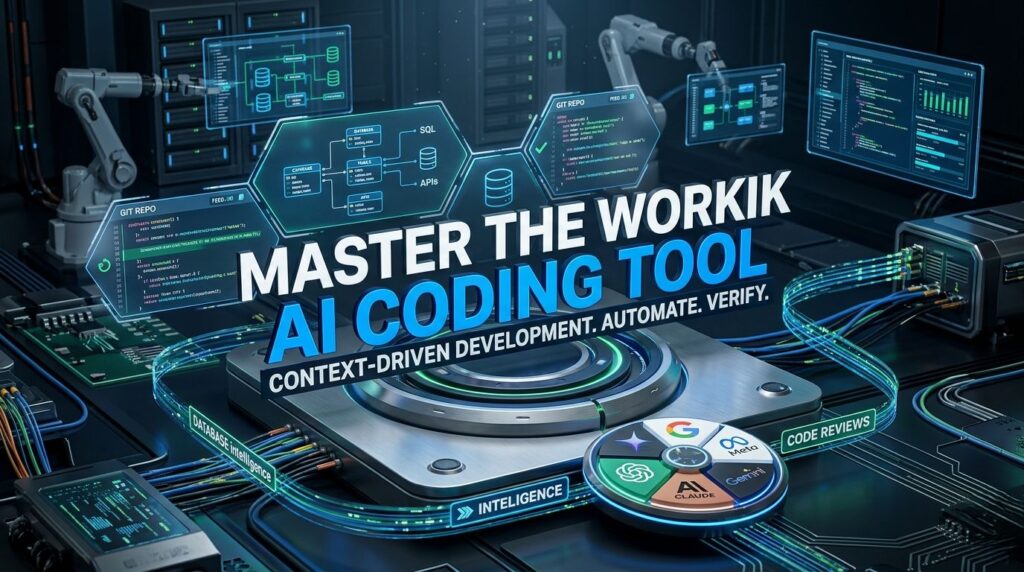
Master the Workik AI Coding Tool: The Complete Guide to Context-Driven Development
Modern engineering teams face a common roadblock when adoption generic AI coding chatbots: they lack context. Copying and pasting isolated code blocks back and forth to explain your repository’s architecture, database tables, and API rules creates an operational bottleneck.
The Workik AI Coding Tool solves this by shifting the focus to context-aware development. Instead of acting as a basic text generator, Workik integrates directly into your entire ecosystem—linking your repositories, database schemas, and APIs so that every generated snippet aligns perfectly with your existing project rules.
This comprehensive technical guide breaks down how Workik AI works, explores its core features, and shows you how to use it to accelerate your software pipeline.
Why Developers are Shifting to Workik AI
Unlike basic AI chat windows that evaluate code in isolation, Workik runs on a context-driven engine. It maps out the dependencies, conventions, and structures of your specific environment before writing a single line of code.
[GitHub Repo] + [DB Schema] + [API Collections]
                       │
                       ▼
             [Workik AI Context Engine]
                       │
                       ▼
   [Tailored, High-Accuracy Code & Queries]
Key operational advantages include:
- Full-Stack Awareness: Adapts to multi-language applications seamlessly, processing frontend layouts, backend routes, and complex database tiers concurrently.
- Reduced Context-Switching: By bringing database visualizations, automated testing, and code generation into a single workspace (or right into your IDE), developers don’t have to bounce between multiple tools.
- Multi-Model Flexibility: Orchestrates top-tier LLM intelligence by letting you switch between models from OpenAI, Anthropic, Google Gemini, DeepSeek, and Meta Llama to see which fits your task best.
Core Technical Features Breakdown
Workik AI provides a broad toolkit designed to support the entire software development lifecycle (SDLC).
1. Full Application Blueprinting & Code Generation
Workik moves past simple auto-completion to scaffold out complete, runnable application skeletons.
- Boilerplate Elimination: Scaffold entire feature modules, API endpoints, or user authentication flows from a natural-language prompt.
- Glue-Code Management: The tool recognizes how frontend structures interface with backend pathways, automatically setting up necessary folder systems, routing paths, and configuration files (like
package.json).
2. Database Intelligence & Optimization
Managing backend databases is historically a manual bottleneck. Workik acts as an automated database administrator:
- Schema Visualization: Import your SQL or NoSQL setups to generate interactive ER (Entity-Relationship) diagrams and analyze relationship layouts visually.
- Natural-Language Queries: Write plain English to generate optimized queries, schema models, or automated database migrations.
- Automated Mock Data: Dynamically produce realistic seed datasets matching your schema parameters to make staging environment tests reliable.
3. Git-Integrated Code Reviews & Documentation
To help maintain software quality over time, Workik hooks directly into your team workflows:
- Automated PR Audits: Trigger deep static analysis, look for bugs, and identify security vulnerabilities right after a commit inside GitHub, GitLab, or Bitbucket.
- Personalized Standards: Force the AI auditor to check for precise engineering standards—such as Python PEP 8 compliance or modern JavaScript ES6 rules.
- Auto-Documentation Suite: Automatically document microservices, utility files, or API blueprints to make onboarding new team members fast and straightforward.
Setting Up Your Workspace: A Quick 4-Step Walkthrough
Getting started with Workik requires establishing the system dependencies and context layers your project needs.
Step 1: Initialize Your Workspace
Sign up using your development credentials or Google single sign-on to spin up a centralized workspace. Workspaces can be split up by client, project, or department to keep your AI rules organized.
Step 2: Inject Project Context
This is where the platform differs from basic chat tools. To ensure accuracy, feed Workik your project elements:
- Link your active version-control repositories.
- Upload your Postman or Swagger API collections.
- Provide your environment variable frameworks or configuration files.
Step 3: IDE Extension Deployment
For the best workflow, install the official Workik AI Extension inside Visual Studio Code. This embeds shortcuts right into your coding interface:
Ctrl + L/Cmd + L: Passes selected code context straight into the AI chat window.Ctrl + I/Cmd + I: Edits your currently open file directly using AI instructions.Ctrl + Shift + Enter: Instantly accepts all suggested refactors.
Step 4: Automate Pipelines
Link your communication channels (like Slack or Microsoft Teams) and task managers (like Jira) to coordinate your workflows. You can set up automation pipelines that run test cases, format documentation, or notify your channels the moment your pull requests are updated.
Cost-to-Token Architecture Overview
Workik scales across different operational tiers depending on your team’s request volume, indexing needs, and token requirements:
| Tier Level | Monthly AI Requests | Token Allotment (Standard/Advanced) | Core Focus |
| Developer Free | 1,000 Requests | 5 Million Standard Tokens | Prototyping, personal sandboxes, and extension exploration. |
| Pro Tier | 3,000 Requests | 10M Standard / 2M Advanced | Fast-moving startups and full-stack product developers. |
| Business Tier | 10,000 Requests | 20M Standard / 4M Advanced | Scaled engineering teams running automated CI/CD audits. |
Frequently Asked Questions (FAQs)
Is my code safe when I use Workik AI?
Yes. The Workik extension for Visual Studio Code does all the indexing on my computer. It looks at my file paths and project names on my machine so my code is not sent or stored somewhere else without me saying it is okay.
Can Workik change my code from one language to another language?
Yes. Workik can do this because it knows about lots of programming concepts. I can pick a part of my code that’s old or a part that runs on the server and ask Workik to change it. It makes the change in a way that keeps my code looking the same and working the way.
What is Workik Vibe Coding?
Workik Vibe Coding is when I think about the picture and the logic of my code and Workik AI handles the details like how the code is written and what it looks like. I can make a working model of my project quickly by telling Workik what I want in words.
How does Workik deal with databases?
Workik uses a system to find the parts of the database I need quickly. This means it can make the right database queries or models without getting confused by the size of the database.
Can my team. I share the same Workik AI information?
Yes. We can use a shared workspace so we all have the same information about our database and code. We all get the results, from Workik but the things we are working on right now stay private.
Read About The Biggest AI & Tech News Right Now: The Rise of AI Agents Is Changing Everything

